Zigbee troubles with my new thermostat
Arthur Brainville (Ybalrid)
- 7 minutes read - 1336 wordsI am doing some work in my old parents house, and I got the furnace inspected (as one should do yearly, and as… was not done in some time.)
The old Unical gas burning heating thingy is healthy (to my surprise) after it got a big old cleaning and I was certified it will continue doing its thing. Now of course this machine is a bit on the expensive energy-wise but that is somewhat beside the point here.
The artisan recommended me to do 2 things:
- Put a carbon monoxide detector in that room
- Replace the actually antique bi-metallic thermostat with something electronic.
In the main floor of the house was sitting a 50 year old Danfoss thermostat, the kind with an actual needle on a display, and the kind that would go “click” when the heating goes on. I am pretty sure the plastics in the thing were actually bakelite.
You see, the way the heating command works with the system in this is a simple contact on a 230 volt line (no neutral wire, which means it’s not intended to power anything) gets closed.
Of course, me being a nerd, I will not find the usual little Delta Doré thingy with a little screen that my heating guy told me to buy.
No, no no, I need to put my technologist hat on and find a thermostat that fits my particular wants:
- The whole smarthouse tech I am deploying here is based on Home Assistant, so I want to be able to control it from Home Assistant
- I have an extensive zigbee network
- I don’t know for the rest of the world, but battery powered thermostats are kind of the norm here anyway for these retrofit
- I want to control this thermostat from my usual stuff
- There is no neutral wire, and it will make no sense to try to fish a new wire through that conduit
Siemens RDZ100ZB
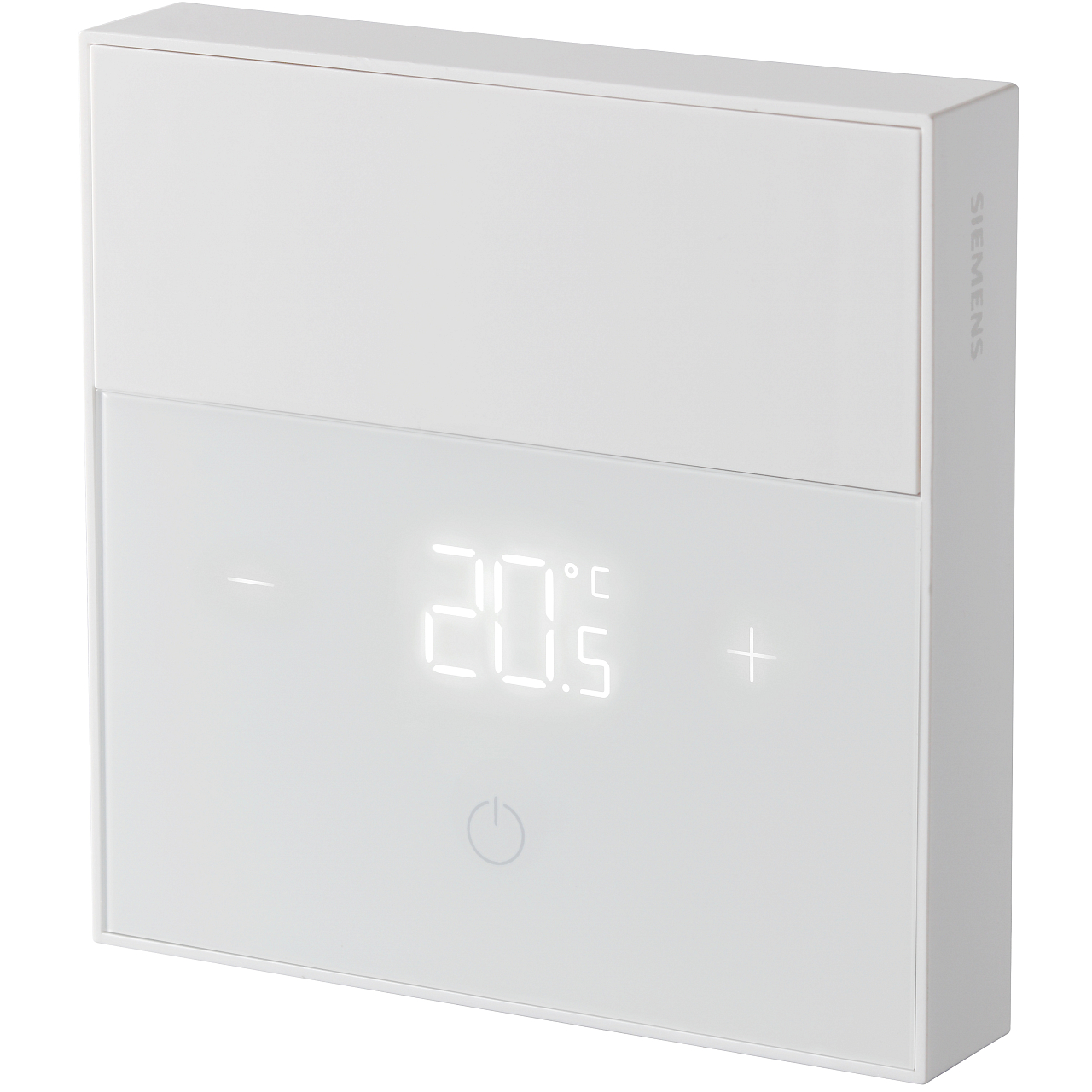
This is the device I was able to find that fits the bill. It does not power itself from the 230 volt line it’s connected to (and I do not know what the old 2003 furnace will think of the current leakage continuously, considering it check if that circuit is closed for starting up).
On paper this is great, it is battery powered, it’s the exact footprint of the old thing (and thus will cover the ugly hole in the wall left) it’s from a reputable brand, and I found it on Bola systems for not egregious prices.
The downside though, this is ZigBee 3.0, but it is… Siemens ZigBee. It is technically designed to go with their whole system. But I obviously want to use Home Assistant.
I found one single mention of somebody using this thing with ZHA online, which means that it probably pairs and works.
The Good
The thermostat works great, it’s easy to get it to pair to Home Assistant with ZHA. Once it is enabled it shows the right kind of entities.
By default it ships with a TPI control algorithm that happens to be suitable for my heating system.
The… less good
There is no easy and standard way to actually change that TPI setting. They seem to reuse a random cluster (0x201 attrib 0x001b) But since I am quite happy with the behavior of the thermostat, I am not going to attempt to change it.
The heating setpoint changes work great… If they are performed within a small time window around the moment the thermostat, it will then obey the command.
If you attempt to do it outside of the window in which the thermostat has woken up from sleep by itself, your message will actually timeout and nothing will happen. Now, once you get to talk to the thermostat, you can actually send many set point changes in a row and it will obey. This behavior makes the device feel unreliable, which is not great when it’s controlling the gift from Prometheus burning dinosaur farts in the basement (… you get the idea.)
Now, the thing is, if you happen to send the message close enough to whenever the thermostat just reported its temperature, which it seems to do every couple of minutes, it will answer your call.
The fix
It’s time to deploy the hacks HACS. (I know it was replaced with “marketplace”, I am still not over it thank you.)
There are 2 custom integrations that helped me make my thermostat work reliably, and they do 2 things:
- Climate Template, to create a custom “Climate” entity that will be the main control surface, and that can trigger scripts when manipulated rather than trying to set the temp and failing to do so with “Device did not respond” because you did not hit it in the right window every 2 minutes or whatever.
- ZHA Toolkit, to allow to do direct lower-level read/writes with retry on the ZigBee network in automations and scripts.
The plan to fix the above issue is using both of these things:
- Create a “UI” Climate entity that only shows the heating mode and stores the wanted value and update the real thing automatically.
- Create a Script that will make sure at temp change that the write of the value is effectively done, then will confirm that the right temperature setpoint is on the Siemens, and retry in case this does not work.
Then by hiding from the UI the “actual” thermostat entity, this whole charade is hidden from normal users of the house. I have been testing this configuration for more than a month and no manual change of thermostat setpoint has caused any trouble.
This template provided climate entity should be the target for any other automation that try to manipulate the temperature (if you want the house cooler at night, or cooler when you are out of the house to go to work. This specific house is owned by a retiree visited by her son that is working from home. So this winter we can expect to rarely lower this thermostat)
Here’s the climate template required to make a new entity thermostat that will call the script in the background, while actually displaying the set temperature immediately, and just below the actual script that is ran.
climate:
  - platform: template_climate
    name: Thermostat Hall Fiable
    unique_id: thermostat_hall_fiable

    modes:
      - heat

    min_temp: 5
    max_temp: 30
    temp_step: 0.5
    precision: 0.5

    # Température ambiante réellement mesurée par le Siemens
    current_temperature_template: >
      {{ state_attr('climate.hall_thermostat', 'current_temperature') }}

    # Consigne réellement remontée par le Siemens
    target_temperature_template: >
      {{ state_attr('climate.hall_thermostat', 'temperature') }}

    # État de chauffe réel
    hvac_action_template: >
      {% if states('sensor.rdz100_mode_readback') | int(-1) == 0 %}
        off
      {% else %}
        {{ state_attr('climate.hall_thermostat', 'hvac_action') or 'idle' }}
      {% endif %}

    # Changement de consigne
    # Le script boucle WRITE -> READ jusqu'à avoir la valeur exacte.
    set_temperature:
      - action: script.turn_on
        target:
          entity_id: script.rdz100_set_temperature_verified
        data:
          variables:
            temperature: "{{ temperature }}"
And the script:
alias: RDZ100 - consigne vérifiée
mode: restart
sequence:
  - variables:
      target_raw: |
        {{ (temperature | float * 100) | round(0) | int }}
  - repeat:
      sequence:
        - action: zha_toolkit.attr_write
          data:
            ieee: climate.hall_thermostat
            endpoint: 1
            cluster: 513
            attribute: occupied_heating_setpoint
            attr_val: '{{ target_raw }}'
            read_before_write: false
            read_after_write: true
            state_id: sensor.rdz100_setpoint_readback
            state_value_template: value|int
            allow_create: true
            tries: 20
            fail_exception: false
        - delay:
            seconds: 1
      until:
        - condition: template
          value_template: |
            {{
              states('sensor.rdz100_setpoint_readback') | int(-99999)
              ==
              target_raw | int
            }}
The actual change of set temperature will occur in a couple of minutes maximum. Which seems to be the frequency at which the sleepy thermometer wakes up from its slumber.
The template itself is also exposed to HomeKit and is accessible from any Apple device part of the home.
The only thing I did was to rename the ZigBee device inside ZHA to something like “Internal Siemens command” and took the climate entity invisible. The only thermostat that exist in ZHA at this point is the one from the template.
This has been in use here for a bit more than a month, and so far, no issues.