Another Type of Shutter Failure on Canon A-Series SLRs
Arthur Brainville (Ybalrid)
- 6 minutes read - 1151 wordsThe popular one
There are many vintage cameras that were popular back then and are still popular today (with the recent resurgence of analog photography among Gen Z and millennials, myself included in the latter). One of them is the Canon AE-1, and its siblings.
This ever-popular SLR camera sits at a place in the history of this technology where the design of the old times is still present, but the electronics are starting to become an integral part of how the camera functions.
If you prefer Nikon cameras, this family of Canons is closer to what the Nikon FE and FE2 are, although the main automatic exposure mode from Canon is shutter speed priority, not aperture. Canon saw itself as the “sports photographer” camera. At least according to its marketing based on taking pictures of tennis players and F1 drivers… And also they got themselves the sponsorship of the LA Olympics in 1984.
The Canon A-series cameras all feature a fully electronically controlled shutter. The camera itself does not have any motors driving any of its mechanisms unless an added motor drive is attached at the bottom. It is 100% running on human power, as most mechanical cameras do. However, these cameras are smaller, lighter, and easier to use than their predecessors, and everything that has to do with timings, interlocks, and releasing the stored power from the operator’s right thumb is done via unlatching mechanisms through three different electromagnets. Neat design.
A Waltz of Contacts and Magnets
Very often, if you find a Canon AE-1 or similar that won’t release the shutter after being cocked, you will find that you are advised to “check, clean, and maybe replace the shutter magnet”
So, my camera (which according to a stamp inside the film chamber, was manufactured in 1982) started to show an intermittent failure to fire the shutter.
It was working perfectly fine, maybe for 20 pictures, then the 21st time the shutter was wound up, it would not fire the shutter. It would not start the self-timer. It would actually act as if the shutter was not cocked and the film was not advanced. This led me to believe the shutter magnet was not to blame.
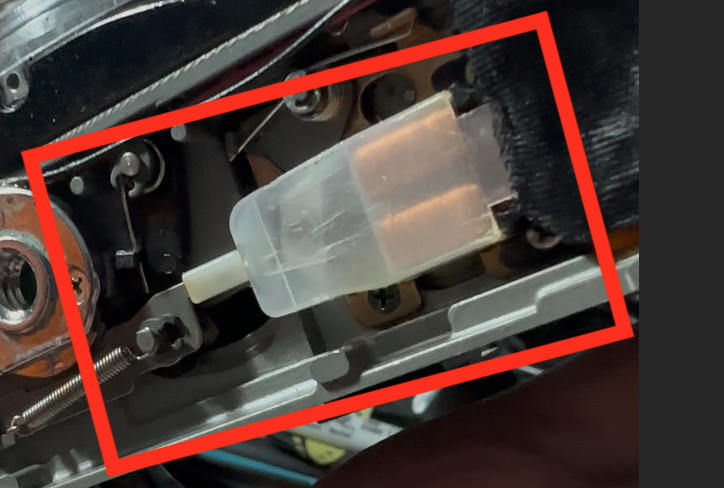
If I took the bottom plate off and released the shutter magnet manually, the camera would start working again for an undetermined number of shots, and then it would “glitch out” again.
So, like every problem of that sort that I run into, after searching Google, searching Reddit (and more recently poking at what ChatGPT would tell me about the problem, then discovering what was right and what was hallucinated away, which is the usual experience with ChatGPT; this thing is only good at parroting the common answer on Reddit, not actually diagnosing problems), I ended up having to learn what happens to the camera’s electronics when the shutter is ready to fire.
One thing that is very important here: I am not a camera repair technician at all. I am just a nerd that likes to play with his obsolete technology for no good reason at all. Do not quote me on the following, this is a hardware problem, and I am famously just a coding monkey 😉
We need to properly introduce the different protagonists of this story:
- MG2: The infamous shutter magnet, that launches every part of the mechanism in motion
- MG1: Another hybrid magnet, that when fired unlatches the 2nd shutter curtain
- SW1 and SW1’: The metering button. This function is duplicated between half-pressing the shutter button, and the silver button on the side of the camera.
- SW2: The shutter button itself! This is what tells the tiny computer inside the camera to start sequencing the shutter exposure cycle
- SW4: A switch that is linked to the state of the 1st curtain latch. When the 1st curtain is charged, it will be closed
- SW5: A switch linked to the “charged” state of the shutter and advance mechanism. This switch is directly linked to the port at the bottom of the camera that can control a Power Winder (or Motor Drive)
Ignoring everything too mechanical, when the camera is ready to take a picture, the following things must be true. These may be slightly different between the different Canon A-series cameras:
- The photographer, or a battery-operated motor drive, must fully engage the advance mechanism. This is done normally under human power by pulling the advance lever on top of the camera. This moves the curtains to the “charged” position. It also puts a length of 36mm of “fresh unexposed film” in front of the shutter by advancing the take-up spool and sprocket shaft.
- By the end of the cycle, the 1st curtain is fully wound up and a latch retains it so it does not spring back. This latch will also push a lever that closes SW4
- A few degrees of rotation further, an eccentric screw linked to the mechanism pushes on a spring that opens the SW5 contact. Incidentally, if point #1 in this list was performed by a motor drive, this switch opening directly signals it to stop advancing. The power winder/motor drive units also have a clutch to avoid putting too much force on this mechanism, in case this does not work.
It seems that the camera’s CPU in an AE-1 Program relies on SW4 to be closed.
This manifests itself as the camera behaving as if the shutter was not charged, but the shutter is charged. In this state, you cannot take a picture… But you cannot advance either. So you are effectively stuck.
Forcing the camera to release the shutter by pushing the latch near MG2 under the top plate is the only thing that makes the camera work again. It may then be good for a while, but if it locks up again, then it’s my issue.
Here’s the troubleshooting guide from a service manual for the camera:
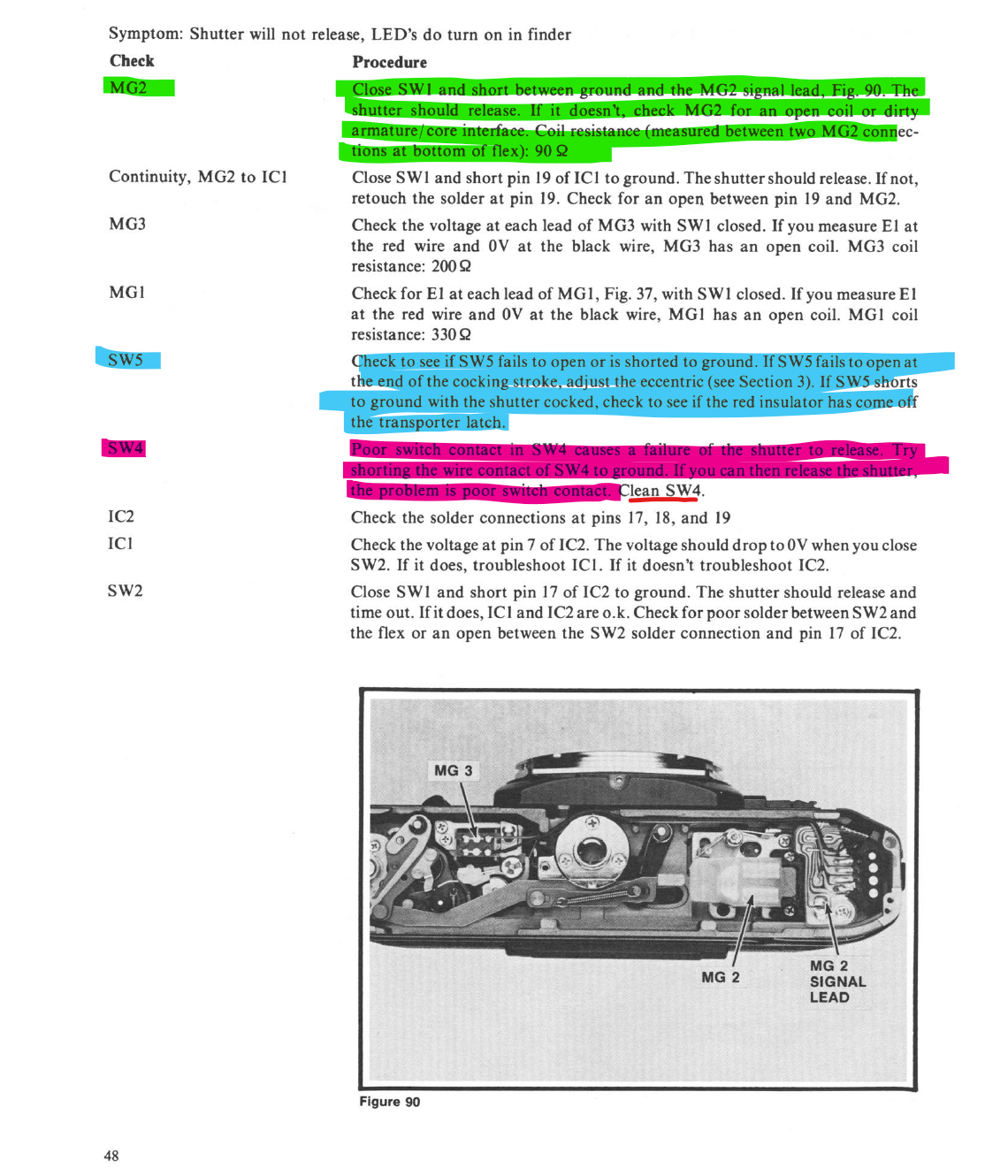
The green highlighted part is the operation that is done to check whether MG2 is broken (or shorted). SW5 is easy to access as it is the contact for the power winder on the bottom of the camera (the two inner contacts). On my old camera, it did behave normally.
The purple highlight is indeed the problem I found.
Cleaning SW4
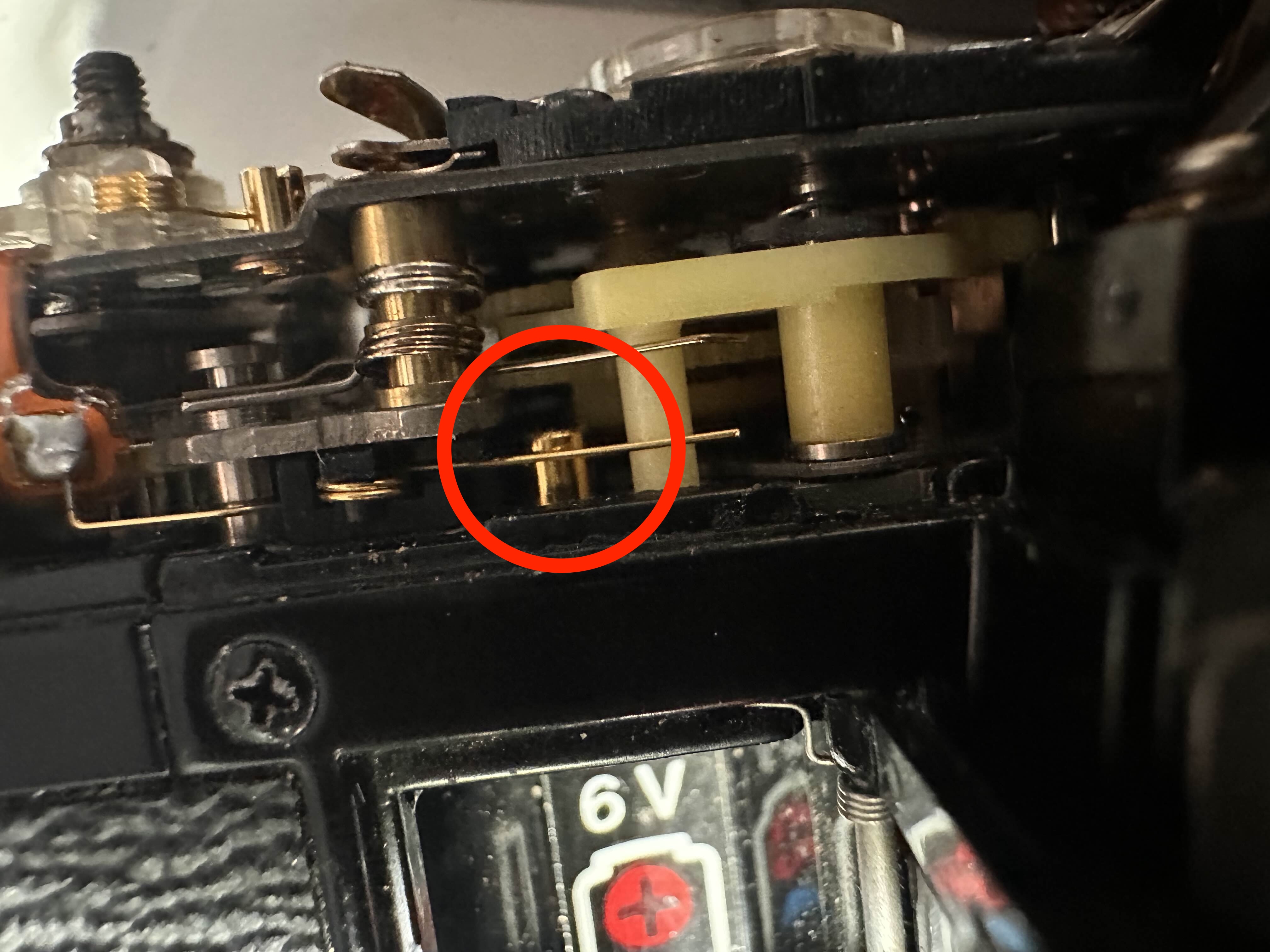
At this point, the top plate of the camera needs to be removed. SW4 is a simple contact located behind the “AE-1” engraving on the top left. This contact looks like a spring touching a post, and everything is golden (probably gold-plated metal). I do not think the problem is corrosion, but lubricant that migrated in there.
I cleaned this contact with isopropyl alcohol. You can grab the end of the spring with tweezers and rock it up and down to make sure there is nothing fouling the contact.
Just doing this seemingly resolved my camera’s problems. And it has been operating fine since then.